Top 10 Best Alternatives to YCC365 Plus App You Need to Try
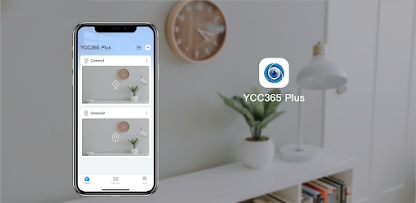
In today’s digital age, home security has evolved from traditional alarm systems to more advanced and accessible solutions like Wi-Fi cameras paired with mobile apps. The YCC365 Plus App is one of the leading options for managing home security cameras, providing live video streaming, motion alerts, and cloud storage. However, some users may be looking for YCC365 Plus alternative apps that offer unique features, enhanced performance, or a better overall experience.
If you're in search of the best alternatives to YCC365 Plus, this list features the top 10 apps that offer similar capabilities for home surveillance. Whether you’re looking for more advanced features, improved connectivity, or user-friendly interfaces, these alternatives cover a wide range of needs for security camera monitoring.
Best Alternatives to YCC365 Plus App
1. AlfredCamera
Best for: Home surveillance with smart features
Platform: Android, iOS, Web
Overview:
AlfredCamera is a popular security camera app that transforms old smartphones or tablets into surveillance cameras. This app is ideal for users who want to repurpose their devices for security purposes. AlfredCamera offers real-time streaming, motion detection, and two-way communication, just like YCC365 Plus, but with the added benefit of being able to use your old smartphones.
Key Features:
Live video streaming with HD resolution
Motion detection with real-time alerts
Two-way audio for remote communication
Cloud storage for recorded footage
Free and premium versions with extended features
Why Choose It:
AlfredCamera is particularly useful for those who want a cost-effective solution for home security, especially if they have unused smartphones lying around. It’s user-friendly and offers powerful security features with remote access.
2. iSpy
Best for: Advanced surveillance with remote access
Platform: Windows, macOS, Linux
Overview:
iSpy is an open-source video surveillance software that provides advanced features such as motion detection, audio detection, and remote monitoring. It works with a variety of IP cameras and webcams, making it versatile for different setups. iSpy also offers cloud recording and mobile apps for remote monitoring.
Key Features:
Works with a wide range of cameras and webcams
Motion detection with custom zones
Audio detection for monitoring sound
Cloud storage and local video storage
Remote viewing via mobile app and browser
Why Choose It:
iSpy is a great option for those who need advanced security features and enjoy tinkering with custom setups. Its open-source nature makes it highly customizable and ideal for tech enthusiasts.
3. Ring App
Best for: Smart home integration and video doorbell functionality
Platform: Android, iOS, Windows, macOS
Overview:
Ring is a popular video doorbell and security camera system that allows you to monitor your property from anywhere. The Ring app offers live video streaming, motion alerts, and two-way audio. It integrates with Amazon Alexa for voice commands and smart home control, making it a great alternative for users already in the Amazon ecosystem.
Key Features:
HD video streaming with night vision
Motion detection alerts
Two-way audio for communication
Smart home integration with Alexa
Cloud storage for video recordings
Why Choose It:
Ring is perfect for users who are looking for easy integration with smart home devices and video doorbell features. It’s reliable, user-friendly, and ideal for those who want to keep an eye on their front door and property with minimal setup.
4. Arlo App
Best for: High-quality cameras with smart features
Platform: Android, iOS, Web
Overview:
Arlo is a well-known brand in the world of wireless security cameras and offers an excellent app to monitor your cameras. The Arlo app supports live video streaming, motion detection, and cloud recording, along with features like smart alerts for people, animals, and vehicles. Arlo cameras come with HD resolution, night vision, and a two-way audio feature.
Key Features:
Live HD video streaming with night vision
Smart motion detection with activity zones
Two-way audio communication
Cloud storage with free and paid plans
Works with smart devices like Alexa and Google Assistant
Why Choose It:
Arlo offers high-definition video quality and integrates seamlessly with smart home ecosystems, making it ideal for users looking for a premium security system. Arlo cameras are also known for their weatherproof design, perfect for both indoor and outdoor use.
5. Manything
Best for: Video streaming and remote monitoring with a cloud-based service
Platform: iOS, Android, Web
Overview:
Manything is an easy-to-use video monitoring app that lets you stream live footage from your cameras or smartphones. The app supports motion detection, cloud recording, and two-way communication. Manything is perfect for home security or remote video monitoring for other purposes, such as caring for pets or elderly relatives.
Key Features:
Real-time video streaming from your smartphone or camera
Cloud storage with flexible options
Motion detection and alerts
Two-way audio for remote communication
Multiple camera support for multi-location monitoring
Why Choose It:
Manything stands out for its ability to turn old smartphones into cameras and offers easy-to-use cloud-based storage for recordings. It's a great option for anyone wanting to monitor their home remotely or repurpose unused smartphones.
6. Nest (Google Nest)
Best for: Smart home integration and security with Google Assistant
Platform: Android, iOS, Web
Overview:
Google’s Nest app offers users a seamless integration between Nest cameras and other smart home devices. With the Nest app, you can access live video streams, receive motion alerts, and communicate via two-way audio. It integrates well with Google Assistant, allowing you to control your cameras and other smart devices using voice commands.
Key Features:
HD video streaming with night vision
Smart motion detection with customizable zones
Cloud storage for video recordings
Two-way audio for remote communication
Works with Google Assistant and other smart home systems
Why Choose It:
Nest is a great option for Google ecosystem users who want high-quality cameras integrated into their smart homes. With the ability to connect with Google Assistant, it offers a hands-free control option for monitoring your cameras.
7. Camstar
Best for: Affordable camera monitoring with cloud storage
Platform: Android, iOS
Overview:
Camstar is a budget-friendly security camera app that allows you to stream live footage and receive motion alerts from your security cameras. It also supports cloud storage, making it easy to store video footage remotely. Camstar’s straightforward design and easy setup make it a solid choice for beginners.
Key Features:
Live HD streaming of your cameras
Motion detection with alerts
Cloud storage for recorded footage
User-friendly interface for easy setup
Affordable subscription plans
Why Choose It:
If you’re looking for an affordable alternative to YCC365 Plus, Camstar offers all the essential features for monitoring cameras and storing footage at a budget-friendly price.
8. WardenCam
Best for: Turning smartphones into security cameras
Platform: Android, iOS
Overview:
WardenCam turns your old smartphones into security cameras, similar to AlfredCamera. It offers live video streaming, motion detection, and cloud recording features. WardenCam also supports two-way audio, making it a great option for users looking for a budget-friendly security solution.
Key Features:
Live video streaming with HD resolution
Motion detection and alerts
Two-way audio communication
Cloud storage for recorded footage
Compatible with older smartphones
Why Choose It:
If you have unused smartphones lying around and want to turn them into security cameras, WardenCam is an affordable solution that offers great functionality with simple features.
9. Sricam
Best for: Budget-friendly home surveillance with cloud support
Platform: Android, iOS
Overview:
Sricam is a budget-friendly alternative to YCC365 Plus, providing users with the ability to monitor their home with a variety of security cameras. The app supports live video streaming, motion detection, and cloud storage. It’s an ideal option for people looking for an affordable solution to monitor multiple areas of their home.
Key Features:
HD video streaming
Motion detection alerts
Cloud storage and local video recording
Remote control and live viewing via mobile app
Multiple camera support
Why Choose It:
Sricam is a great alternative for users who want an affordable security camera solution with cloud storage and basic monitoring features.
10. Vivint Smart Home
Best for: Comprehensive home security system with professional monitoring
Platform: Android, iOS
Overview:
Vivint is more than just an app; it’s part of a comprehensive smart home security system. The Vivint Smart Home app provides live video streaming, motion alerts, and the ability to control other smart devices, including lights and locks. Vivint also offers professional monitoring, making it a great choice for users who want a full-service security system.
Key Features:
Live HD video streaming
Motion detection and alerts
Professional monitoring options
Smart home control for lights, locks, and more
Cloud storage for footage
Why Choose It:
Vivint is ideal for users who want a complete home security system with professional support and smart home features. It’s more advanced than many alternatives, but it’s also pricier.
Conclusion
There are plenty of great alternatives to YCC365 Plus app that cater to different needs and budgets. Whether you're looking for smart home integration, budget-friendly options, or advanced surveillance features, the apps listed above provide everything you need to monitor your property effectively. Each app offers unique features and functionalities, so you can choose the one that best fits your security requirements.
By considering your preferences, such as device compatibility, cloud storage options, or integration with existing smart devices, you can make an informed decision on the best app to secure your home or business.
Trending Now
Updates